Wednesday, 22 January 2014
The importance of ancillary products for the music industry and promotion
Ancillary products are really important in promoting an artist and Album. It allows a wide range of publicity recognition. Music industries and companies make profit and business through the artists and promoters in their companies, which is what makes the music industry so big due to the fact that the music industry is a global market. For artists as well as companies to be viral and recognised by not only the audience in general, but also the wider public specifically, can only be done by the ways they interact with advertisement products. This is very important for a successful industry, artist and album.

Edits after feedback of my ancillary work
Feedback and Edits of my ancillary products
I realised some fault in the production of my ancillary products, mainly to do with the advertisement. My plan was to do the advertisement in a landscape format, but i inferred that this was not such a good idea due to the fact that the promotional text would most like cover the picture of the artist. My teachers also supported this idea. Therefore, i stuck to the same design but made the page landscape, which gave me a lot of space to add the CD cover picture, additional information and other such elements that should be involved in the advertisement. Below shows how i edited the advertisement after the feedback.

My original plan for the Front of the CD cover was to create a source of light beams that would cross and reflect the title Lights. I did something similar to this in my GCSE but by using a different software, which made it difficult for me to produce on this CD cover. Therefore, i changed the idea and used the effects of bright star effects. Also, my plan was to take a picture at Southbank of the trees lit up next to the Lodon eye, so the trees would cover the side of the panel leaving space for the tracklist to be placed in the middle. I did not have much time to do this so i improvised and created the back cover as i went along. However, I am impressed about where my improvisation had taken me.

Construction of my Advertisment
The construction of the advertisement ancillary product.

I started of by adding a picture of Farha which i did not need to crop from its background as the background was already black. I added the text of the artist name and album name and used effects in the same ways as the CD panels in order to create synergy.

I also added the effect used on the front cover of the CD panel. The effect used is the star effect which is done by using the paint brush tool. My original plan was to keep the advertisement rather simple, but it did not feel as if it was working out so i decided to get feedback from my teachers to know where i was going wrong.
I asked for feed back from my teachers which are explained in the next blog. It will show how my original plan has differed after the feedback.
Construction of the inside of my CD cover
This is the construction of the inside panels in my digipak.
 |
| The effect of coloured lights that are similarly used on the front cover is also used in the. This is done by using the paint brush tool, choosing the right colour and placing it on the template. |
 |
| To create the circle where the CD will be placed, click on the shape tool that is selected in the tool bar |
 |
| This is the circle that i created in the colour purple which fits perfectly in the design of the lights. |
 |
| i added text and used effects to brighten it up. To do this i right clicked on the text, pressed edit layer style which gave me the options of effects. i used inner and outer glow.
Constructing the inside panels of the CD cover was relatively easy compared to the difficulties i had whilst constructing the outside panels. I made it simple by using a small amount of tools, which managed to fill up the panel and make it look presentable. the only difficulty i had was the cropping of the image i used of Farha, as getting the exact shape cut out of the background took me some time.
This was the end result.  |
Construction of the outside panels of my CD cover
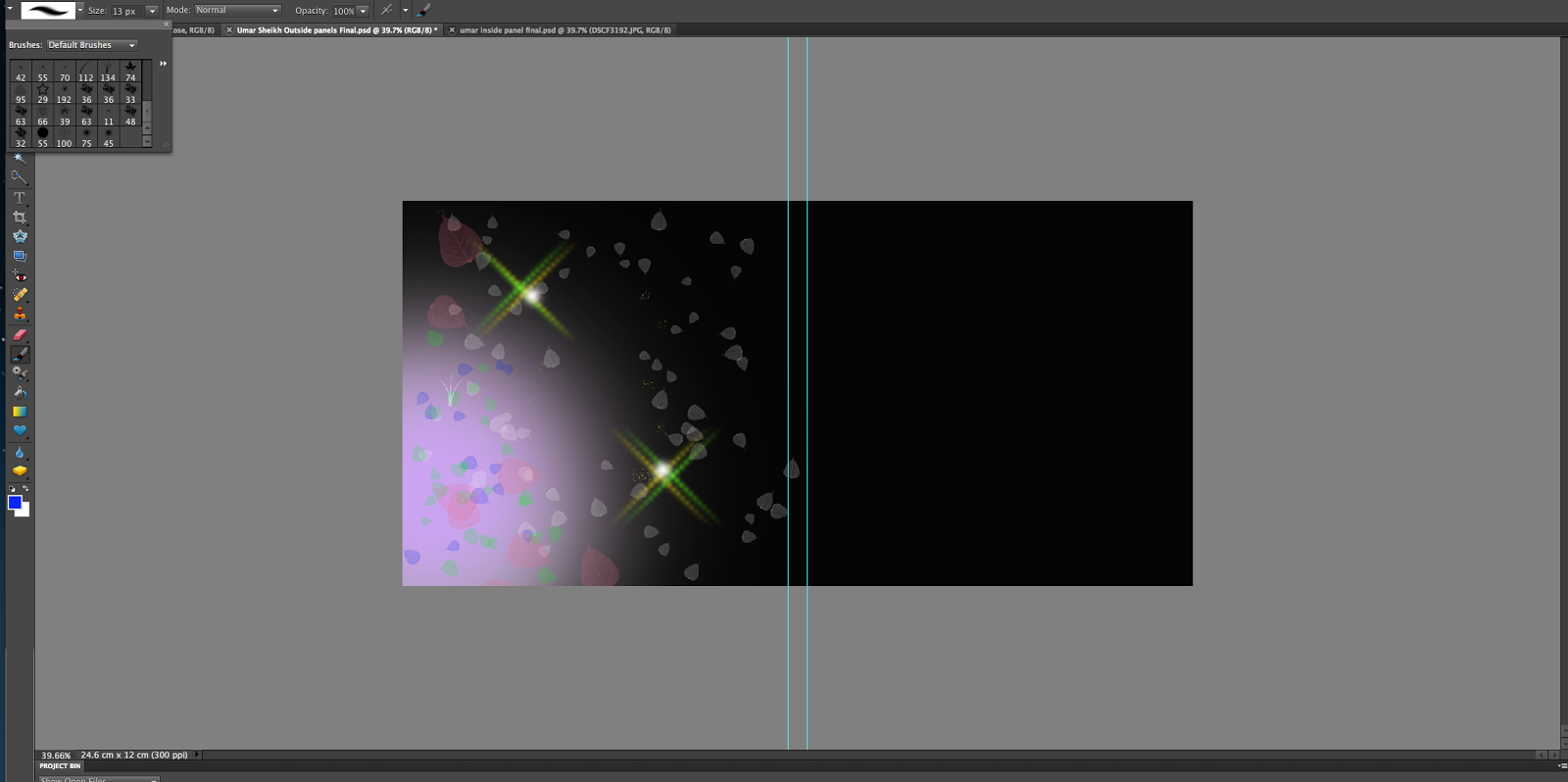 |
| To create the special effect of stars and leaves, press the brush tool and click on the option at the top that gives you the types of brushes that could be used. There you will see the design of the brush that i have used. |
 |
| This is the outcome of the special effect. |
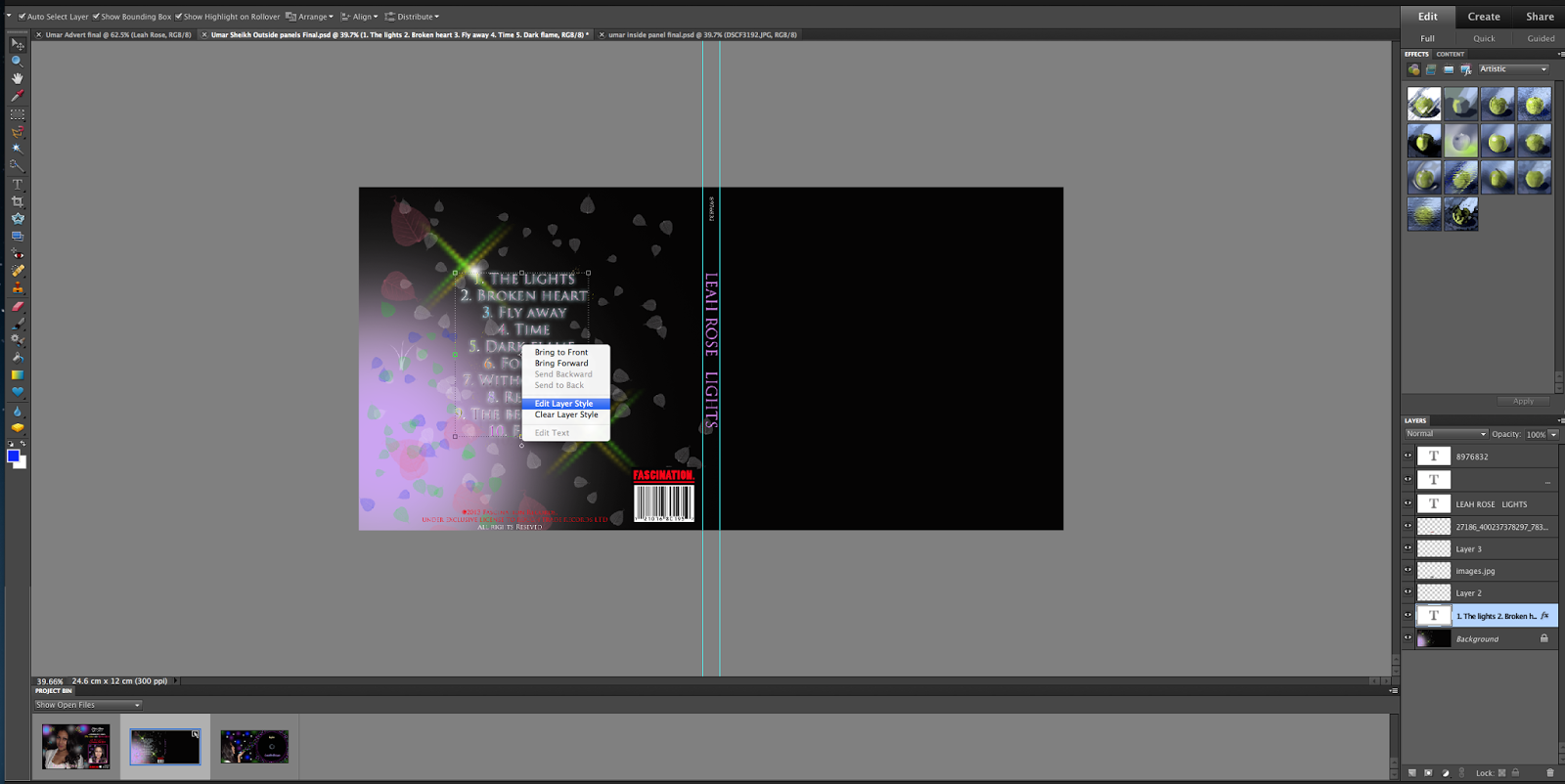 |
| after adding the track list, to change the effect of the text i right click the text and click on edit layer |
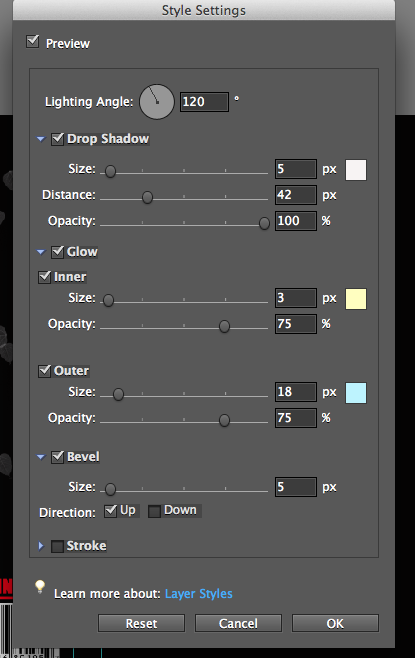 |
| This option will come up that allowed me to adjust the brightness and glow of the text |
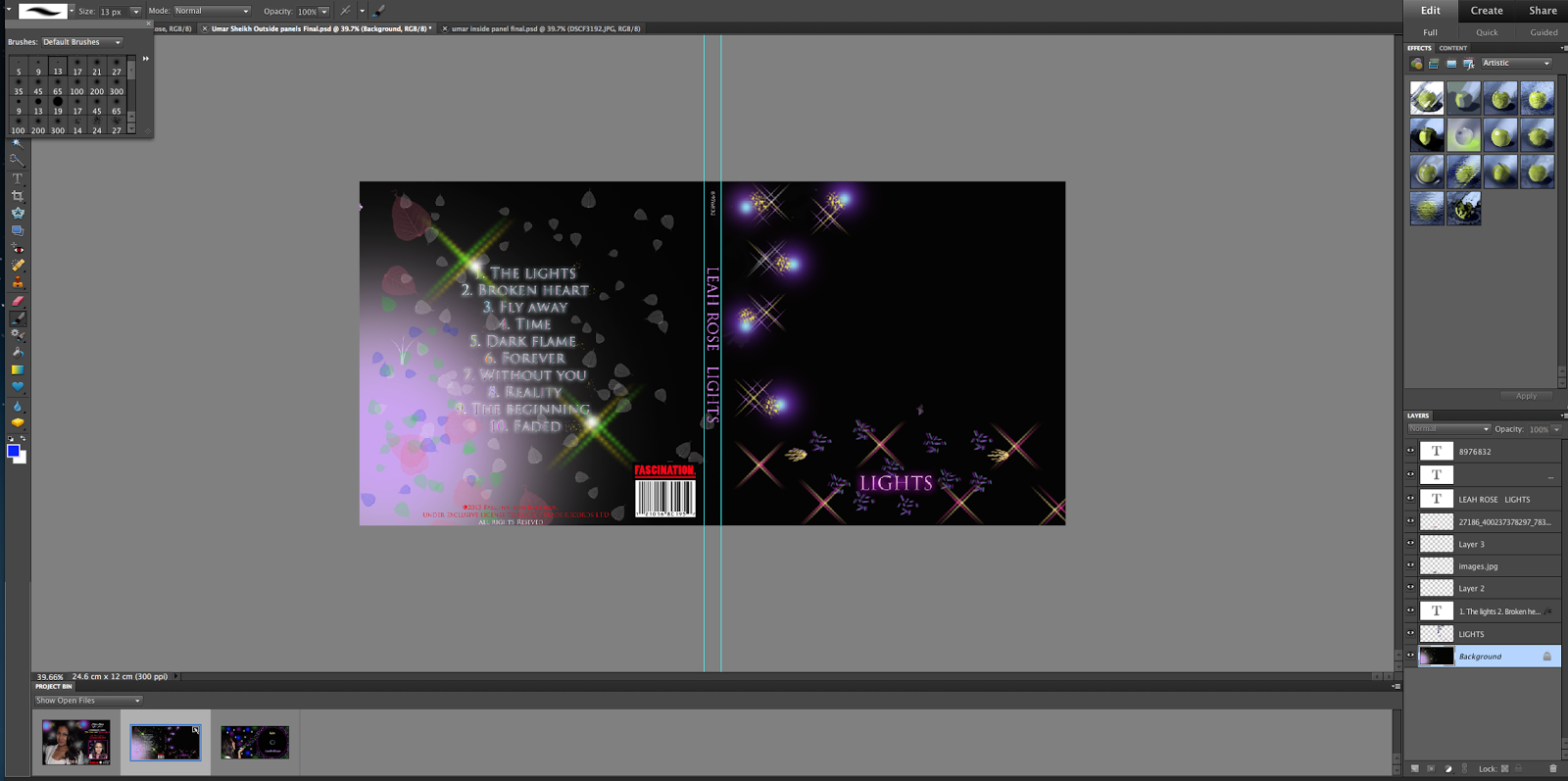 |
| The same way to do the star effect on the front panel and the same way for the text effect shown above is done. The purple and blue light effects are also done from the paint brush tool options. |
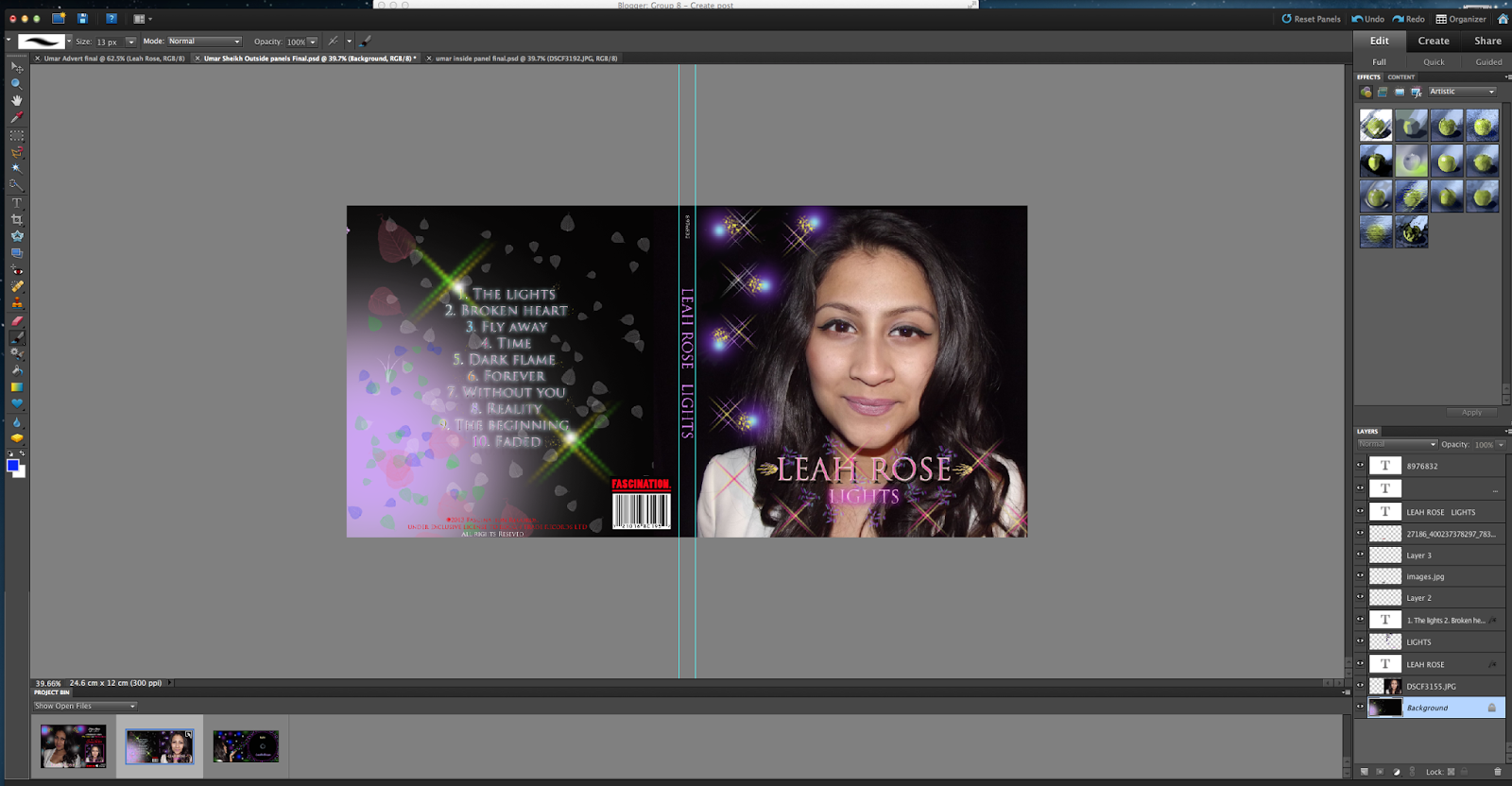 |
| I added a picture of farha. To resize this, i hold alt and drag it to the size i want so the image does not get squeezed or stretched.
The outcome of the front CD panels resulted in this:
 |
Tuesday, 21 January 2014


Adjusting font

The difference between these two images is the font, the one above shows the font I first used after taking feedback from the audience i realised that this font didn't work well with my advertisement, i felt that it was to plain and dull, therefor i changed by font to the one below, i felt that this font style worked better with genre and the type of artist I am trying to portray, it allows the text to stand out more which made the advert more realistic whereas the plain one was a big boring and didn't suit the artist and genre. This shows that by asking audience feedback through the process helps, as it aloud me to change things.
I still stuck with the colour as it worked well against the black background and matched the other colours, as it was a lighter shade of yellow. i stuck with the theme of bright lights to resemble the colours of lights to make sure it connected with my synergy

Subscribe to:
Posts (Atom)